How to Book Vande Bharat Train Ticket Online (2026 Step-by-Step Guide)
The official way to book Vande Bharat tickets online is the IRCTC website or the IRCTC Rail Connect app.
Advance booking opens up to 60 days in advance and Tatkal opens at 10:00 AM in the morning.
People often miss seats, don’t get a window seat, or their booking fails when the server is down.
In this guide on How to Book Vande Bharat Train Ticket Online you will learn the step-by-step process, practical tips, common mistakes, and options for expert help.
By: Vikas Sonkar |Last Update: September (2026)
Quick Summary: Vande Bharat Booking Rules (2026)
If you have less time, here are the main booking options:
- Official Platform: IRCTC Website or IRCTC Rail Connect App
- Advance Booking: Up to 60 days before the journey date
- Tatkal Timing: Daily at 10:00 AM for both Chair Car (CC) and Executive Class (EC)
- Booking Assistance: When the server is slow or during Tatkal rush, you can get help from BookVandeBharat on WhatsApp.
Need Help Booking Vande Bharat Ticket?
Chat on WhatsApp → Message Us Now
Step-by-Step: How to Book Vande Bharat Train Ticket Online on IRCTC?
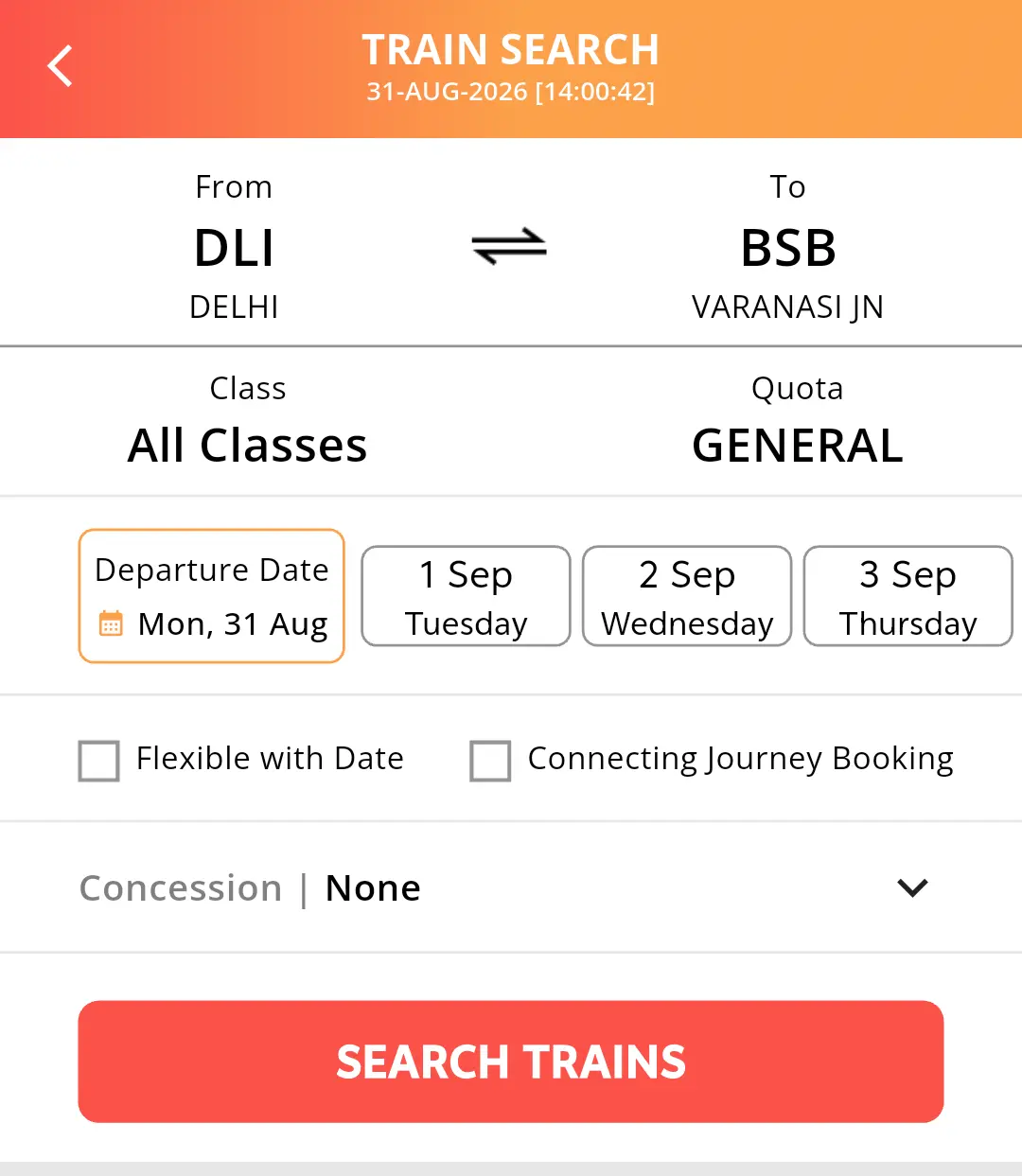
If you want to book a regular ticket by yourself, follow these steps
- Step 1: Open IRCTC Rail Connect App on your phone and login with your 4-digit PIN.
- Step 2: Go to Train section and click on Book Ticket.
- Step 3: Enter your station name in From and To and select your travel date
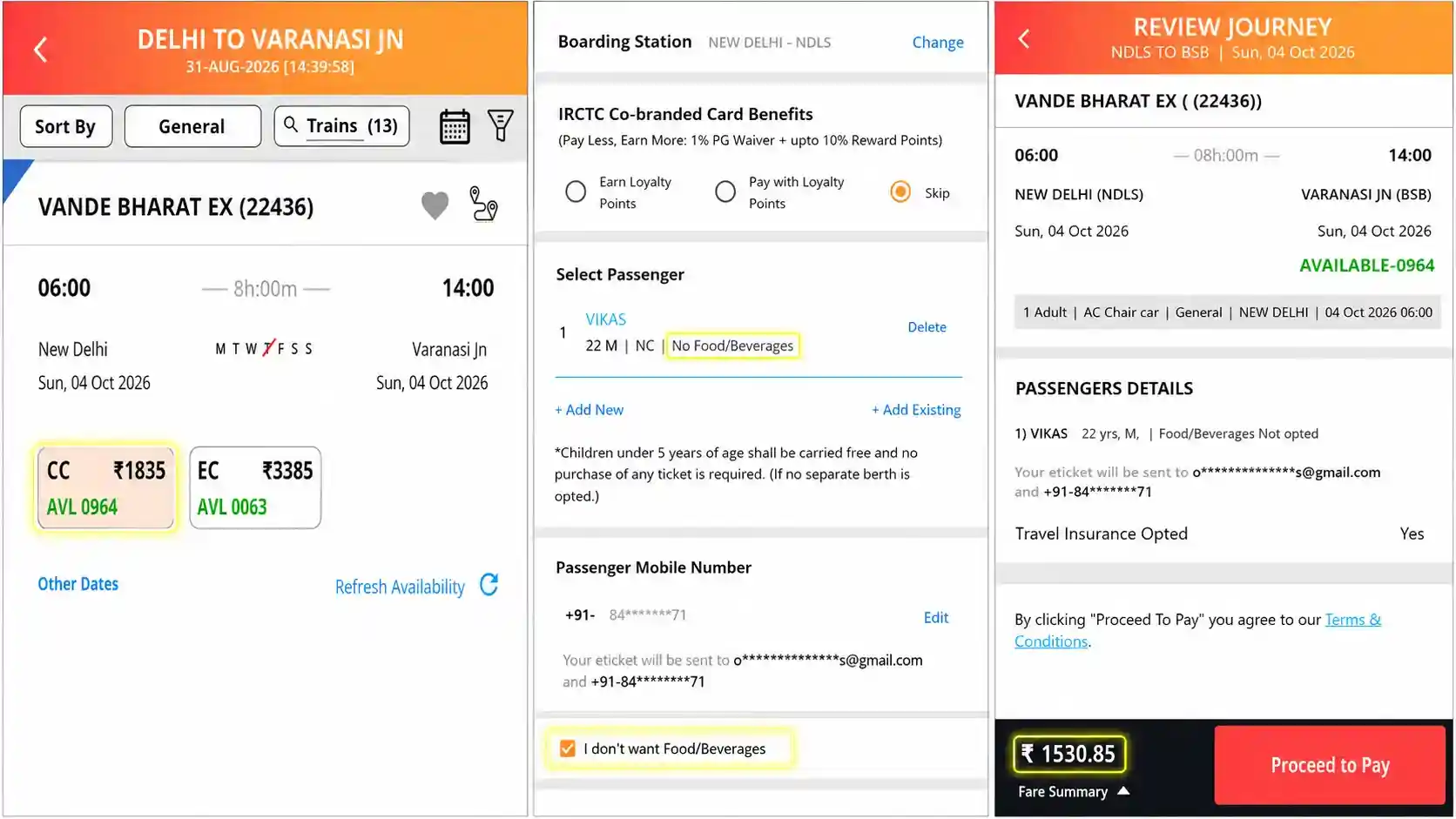
- Step 4: Select your Vande Bharat Express (like 22436) from the train list.
- Step 5: Choose your class – CC (Chair Car) or EC (Executive Class). To know the difference, read our
- Step 6: Fill passenger details (Name, Age, Berth Preference).
- Step 7: Complete payment via IRCTC Wallet or UPI (GPay / PhonePe). Your ticket will be booked.
Important Tips for Your Booking
How to Get a Window Seat (WS):
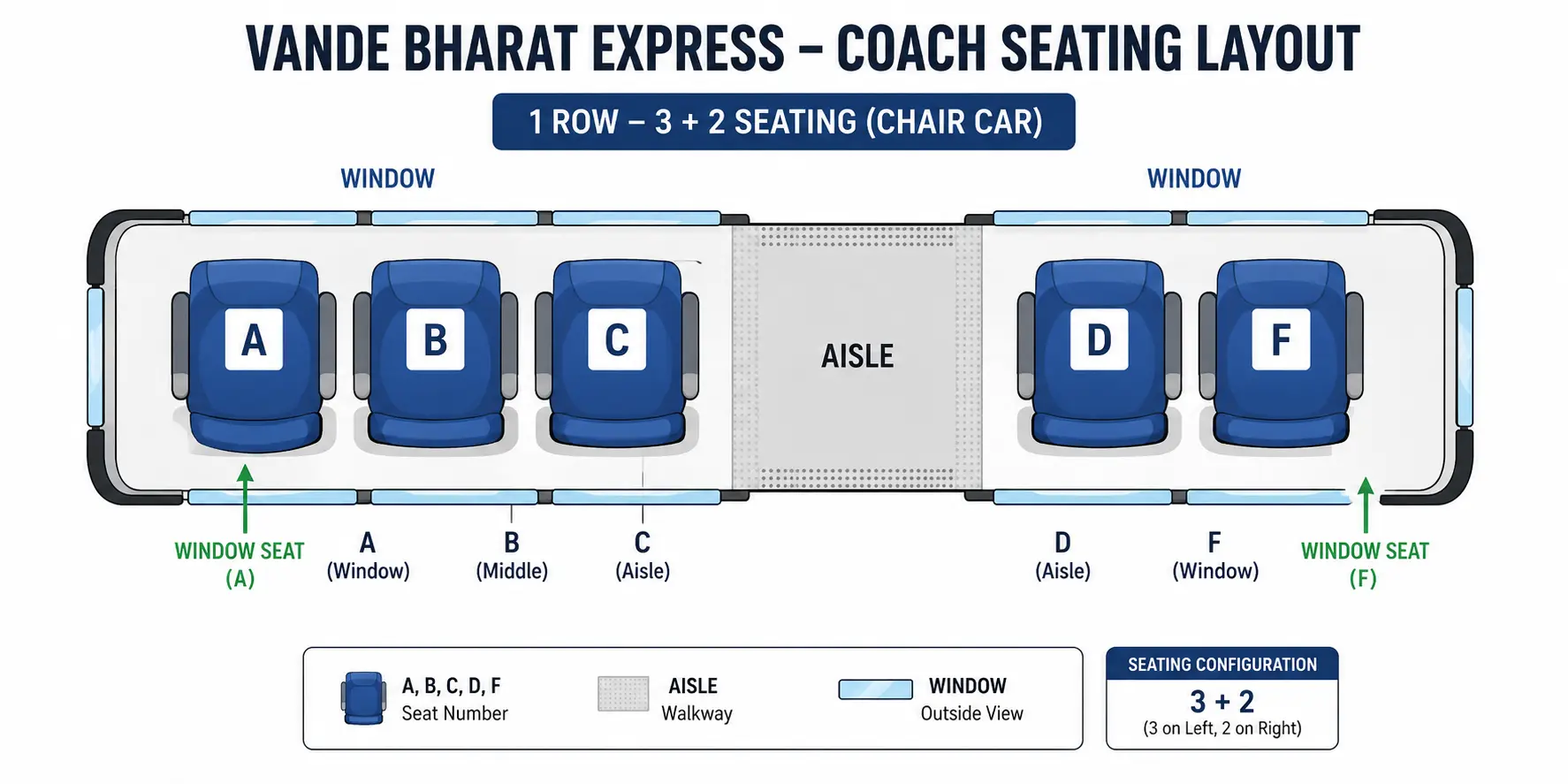
Select ‘Window Side (WS)’ in your berth preference while adding passenger details. In Chair Car (CC), window seats are located on both sides (Seats A and F).
Important Tip: If seats are filling up fast, do not check the box that says “Book only if window berth is allotted.
If the remaining window seats run out while you enter your payment details, IRCTC will cancel your booking and refund the money instead of giving you an aisle seat.
Save Money on Food Charges (₹300 to ₹450 per seat):
Food is completely optional on Vande Bharat trains. If you prefer carrying home-cooked snacks or are traveling a short distance, select No Food in the Catering Option dropdown.
IRCTC will immediately deduct the catering charge (usually ₹300 to ₹450 per person depending on the route and meal timing) from your final ticket fare.
Important Update: The Real Benefit of Aadhaar Verification
There are many rumours about online booking rules.
Many people think you cannot book a ticket without an Aadhaar card or that DigiLocker is compulsory. This is completely wrong.
- What is the actual rule? During your journey, you can show any valid ID proof like Voter ID, Aadhaar Card, or Driving License.
You can also show it digitally on m-Aadhaar or DigiLocker. All of these are valid and accepted.
- Real benefit of linking Aadhaar: If you link and verify your IRCTC User ID with your Aadhaar online, your monthly booking limit will increase.
You can book up to 24 tickets in a month instead of the normal 12 tickets.
If you often book tickets for your family, you should link your Aadhaar.
How to Book Vande Bharat Tatkal Tickets Fast?
If Tatkal tickets on your route also get sold out within seconds, we have found 2 tricks from our own experience that we are going to share with you.
- 1. Create a Master List in Advance: Before booking time, go to My Profile in your IRCTC app and save the names and ages of passengers.
This will create a Master List. During live booking, you don’t need to type details, just select them. This saves 20 to 30 important seconds. - 2. Use UPI for Fast Payment: Instead of typing card details or Net Banking passwords, choose BHIM UPI.
It will send a direct payment request to your UPI app. After you enter your PIN, payment is done in less than 5 seconds, so your booking becomes much faster.
Need Help? WhatsApp Booking Assistance
During peak season or last-minute booking on Vande Bharat Express, many people face problems like app lag, login issues, or payment failure.
If you want to avoid this hassle, we can help you with the booking process.
For booking assistance, you can call or message us on WhatsApp.
Note: Train ticket confirmation depends only on IRCTC availability.
Need Help Booking Vande Bharat Ticket?
Chat on WhatsApp → Message Us Now
Common Online Booking Mistakes to Avoid
Many people make small mistakes while booking online.
- Wrong Boarding Station: Big cities have many stations. For example, Delhi has NDLS, NZM, and ANVT.
Always check the station code before you book so you do not miss your train.
- Wrong Mobile Number: Always enter the number you will carry during travel. Your ticket SMS and confirmation details will come on this number to show the TTE.
- Spelling Mistake in Passenger Name: The name should exactly match the ID proof you will show to the TTE. Even a small spelling mistake can create problems during the journey.
Final Advice by Vikas Sonkar
If your travel date is fixed, do not wait till the last moment.
Book as soon as the 60-day window opens. This gives you a better chance of getting a confirmed ticket and your preferred window seat.
And if you have to travel at the last minute during rush hours and the IRCTC app is lagging, taking help from an experienced booking assistant is often the smartest decision.
Vikas Sonkar
Hello friends, I am Vikas Sonkar. I run my own local travel agency from home for 5 years, helping thousands of people plan safe and easy trips. With this experience, I started BookVandeBharat. This website helps you find all details about Vande Bharat Express. You can easily check ticket fares, timings, train routes, and seat availability for a hassle-free booking experience.